VOO

The agency operating system

Orchestrate with clarity.

Voo runs the whole agency in one place: tasks and client boards, proposals and invoices, Meta and Google Ads, knowledge and meetings, and AI agents that do the work and wait for your approval.

Projects. Agents. Aligned.

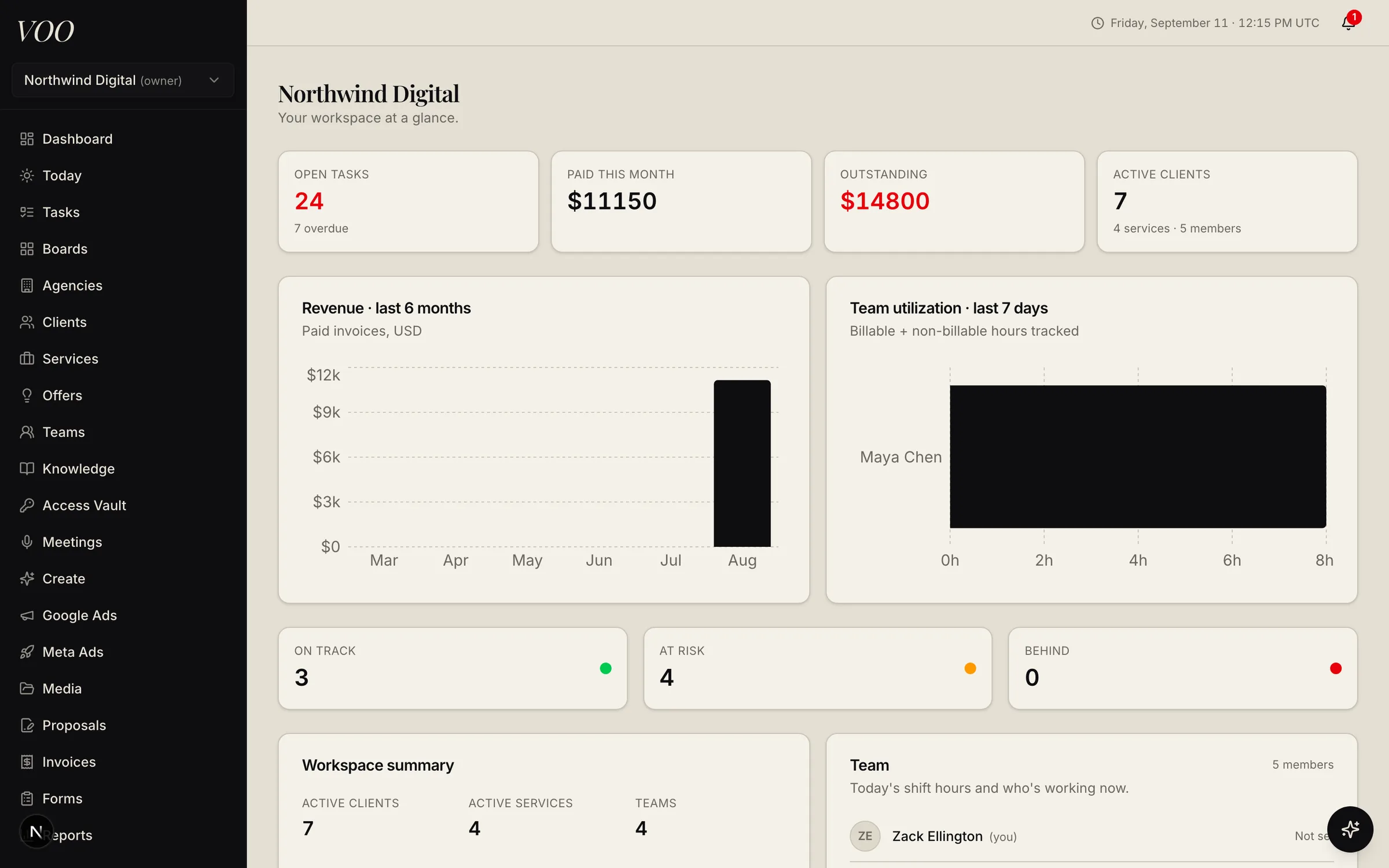
Voo owner dashboard showing open tasks, revenue, team utilization, and client health

Every client, one board

Tasks, pipelines, boards, and calendars scoped to agencies, clients, and brands.

Scope to cash

Proposals become subscriptions, subscriptions generate tasks and invoices, Stripe collects.

Agents with a supervisor

AI workers pick up eligible tasks and hand results back for a human to approve.

Built for accountability

Encrypted credentials, audit logs, approvals before anything touches a client account.

Product

From first proposal to the monthly report, without leaving the app.

Voo replaces the stack of tools agencies glue together: the PM board, the invoicing app, the shared spreadsheet of logins, the folder of SOPs, and the tab of ad dashboards.

Tasks, kanban, and calendar

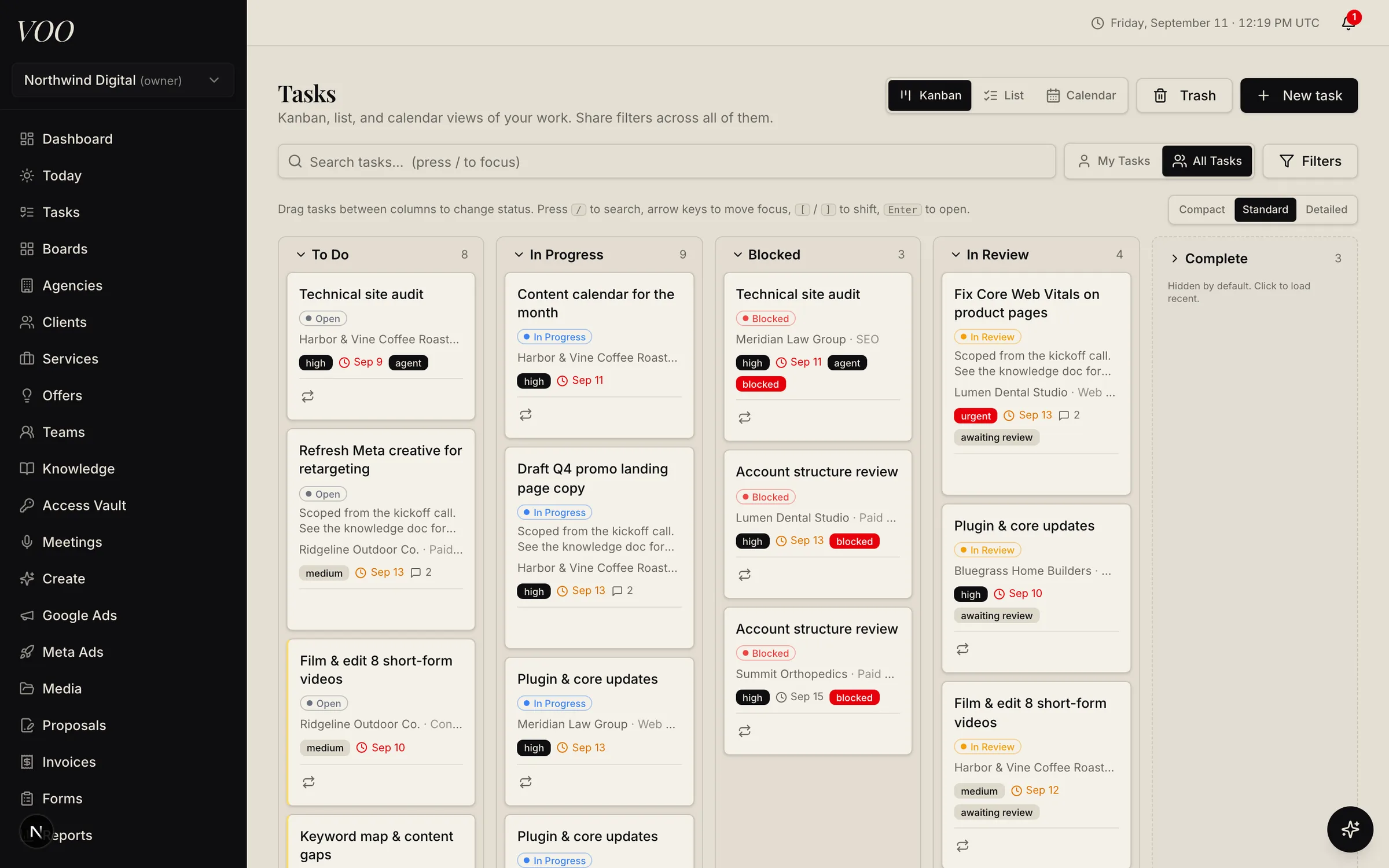
Every deliverable as a card with an owner, a due date, a pipeline stage, and the client it belongs to. Kanban, list, and calendar views share one set of filters.

  • Custom status pipelines per service, with aging tints that show how long a card has sat
  • Recurring tasks generated from subscriptions, with dependencies that unblock automatically
  • Checklists, comments with @mentions, file versions, and a built-in timer on every task
More about tasks
Voo kanban board with To Do, In Progress, Blocked, In Review, and Complete columns holding client tasks

Clients, brands, and agencies

Model your book of business the way it actually is: agencies own clients, clients own brands, brands own subscriptions. Everything downstream inherits the scope.

  • White-label agencies for holding companies and partner networks
  • Per-brand voice, audience, colors, fonts, and image guidelines that feed every AI prompt
  • Client health scores from delivery, billing, and engagement signals
More about clients
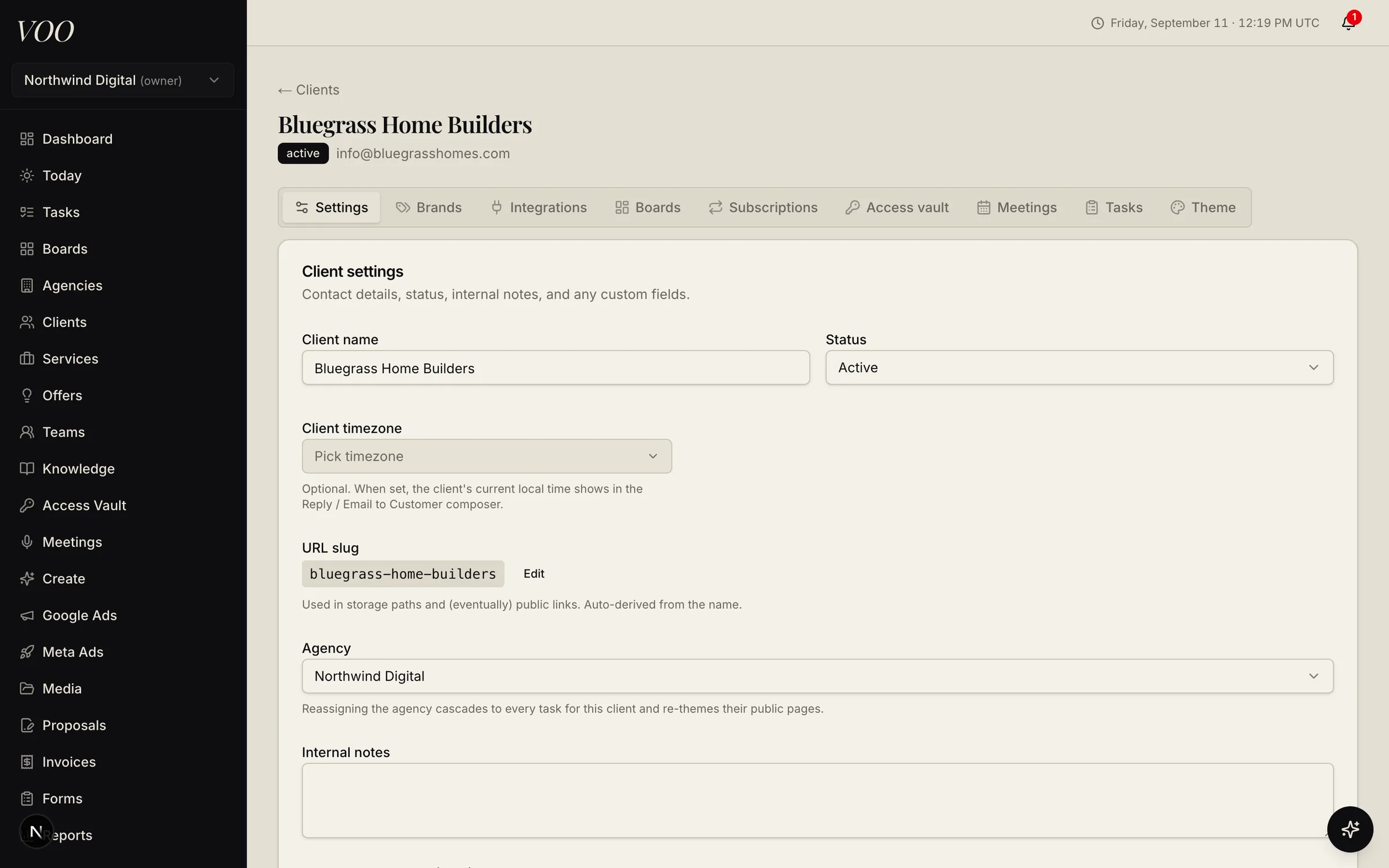
A client record in Voo showing settings, brands, integrations, boards, subscriptions, and tasks tabs

Proposals and invoices

Send a proposal, capture an e-signature, collect a deposit, and roll the accepted scope into subscriptions and invoices without re-keying anything.

  • Grouped line items with optional selections the client can toggle
  • Payment schedules: deposits on acceptance, installments later
  • Stripe checkout on public invoice pages, with automatic recurring invoices
More about proposals and invoices
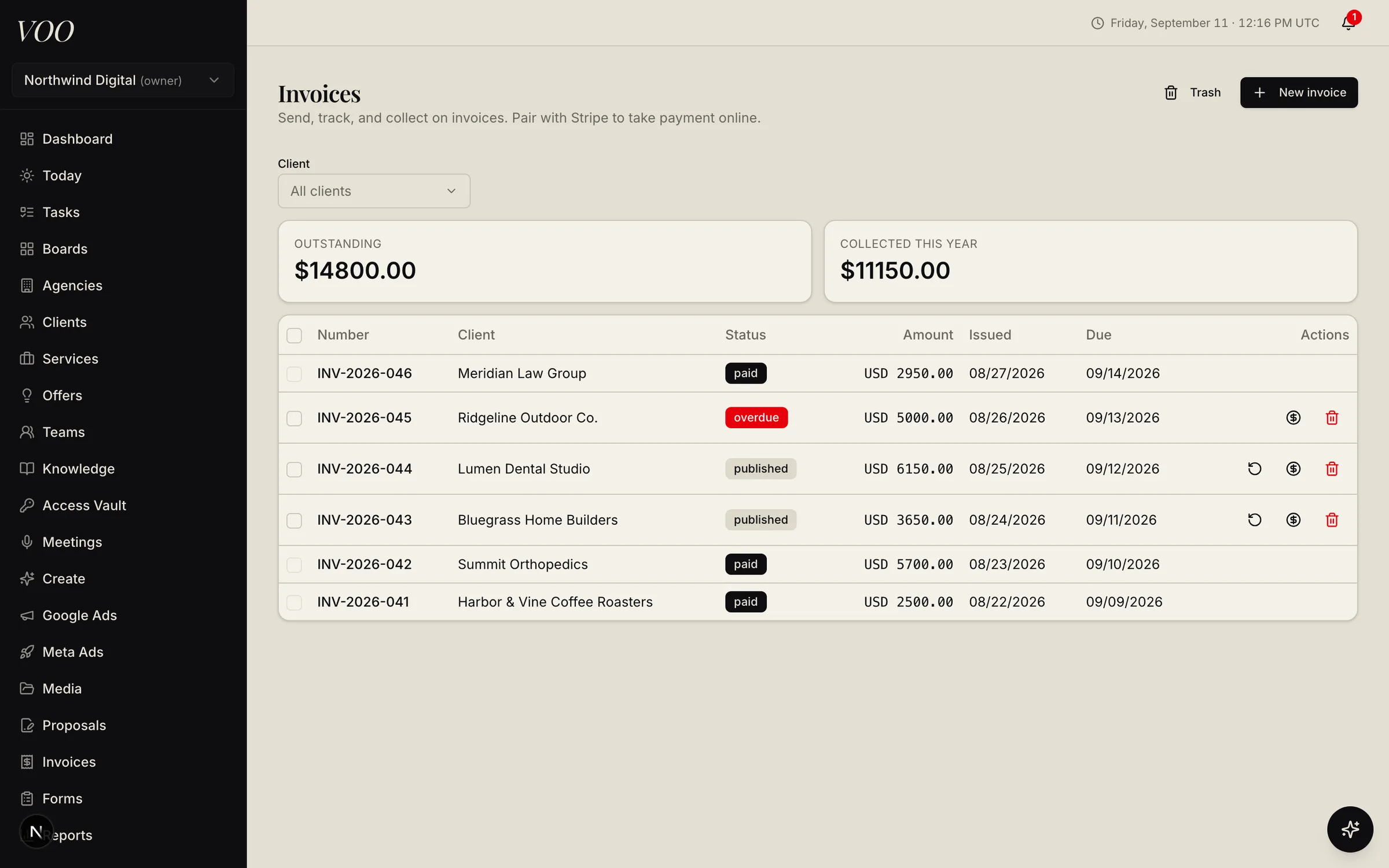
Voo invoices list with outstanding and collected totals and paid, published, and overdue statuses

AI agents that do the work, with human approval

Mark a task agent-eligible and Voo's worker picks it up, reads the relevant knowledge, uses the right tools, and hands the result back to your team for review.

  • Skills (reusable playbooks) and tools (Google Ads, Meta Ads, GitHub, hosting, billing, and more)
  • Output contracts and verification steps checked before a handoff
  • Learnings and knowledge proposals so the agent improves with feedback
More about ai agents that do the work
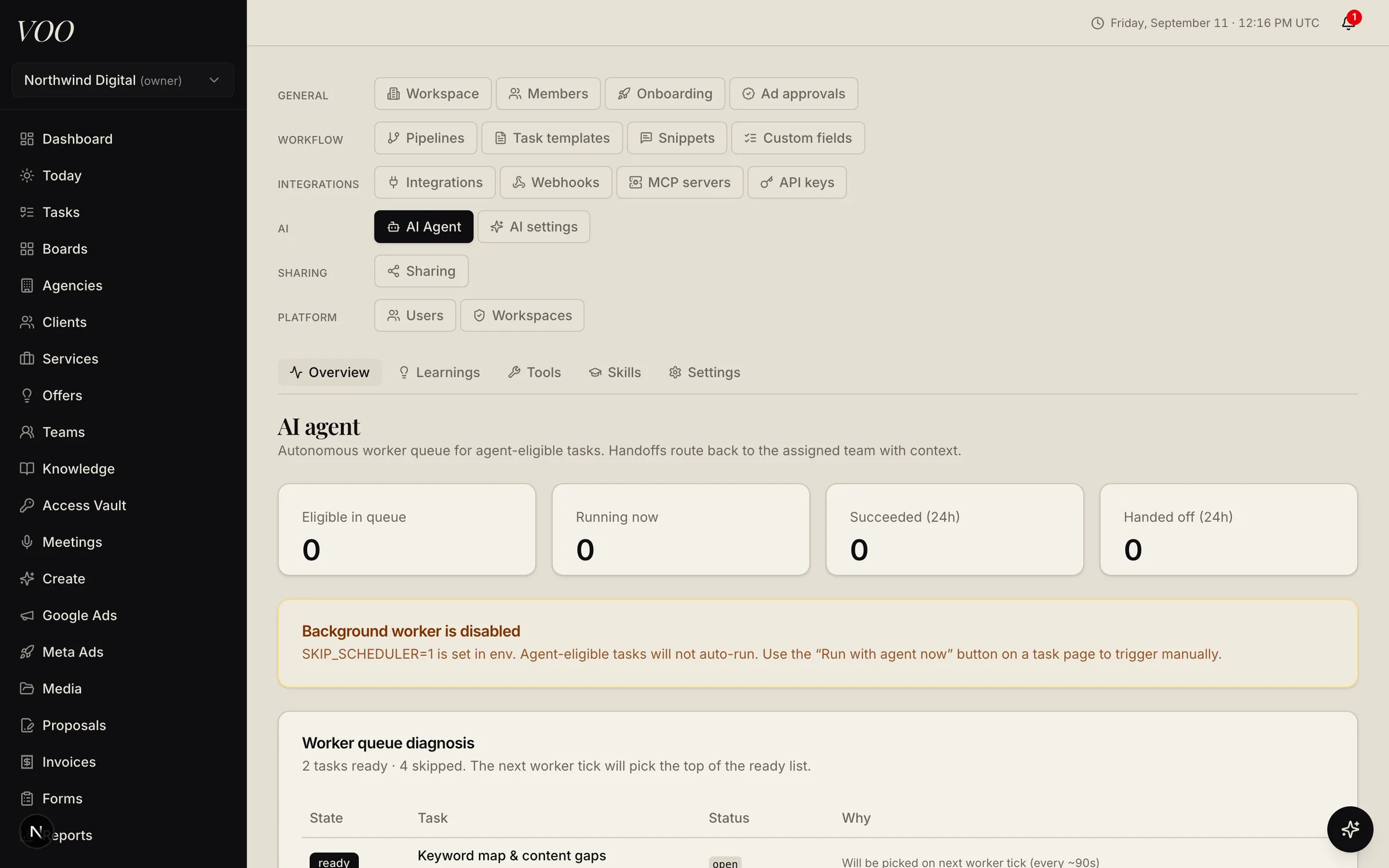
Voo AI agent settings showing the worker queue, run counts, and a queue diagnosis table

Create studio

Generate images, video, music, audio, and written content on brand, then cut it together in a browser-based video editor with animated captions and transitions.

  • Brand profiles fold voice, palette, and guidelines into every prompt
  • Text-to-image, image editing, image combining, text-to-video, and video editing modes
  • Timeline editor with waveforms, per-track volume, fades, cross-dissolves, and auto-transcribed word-timed captions
More about create studio
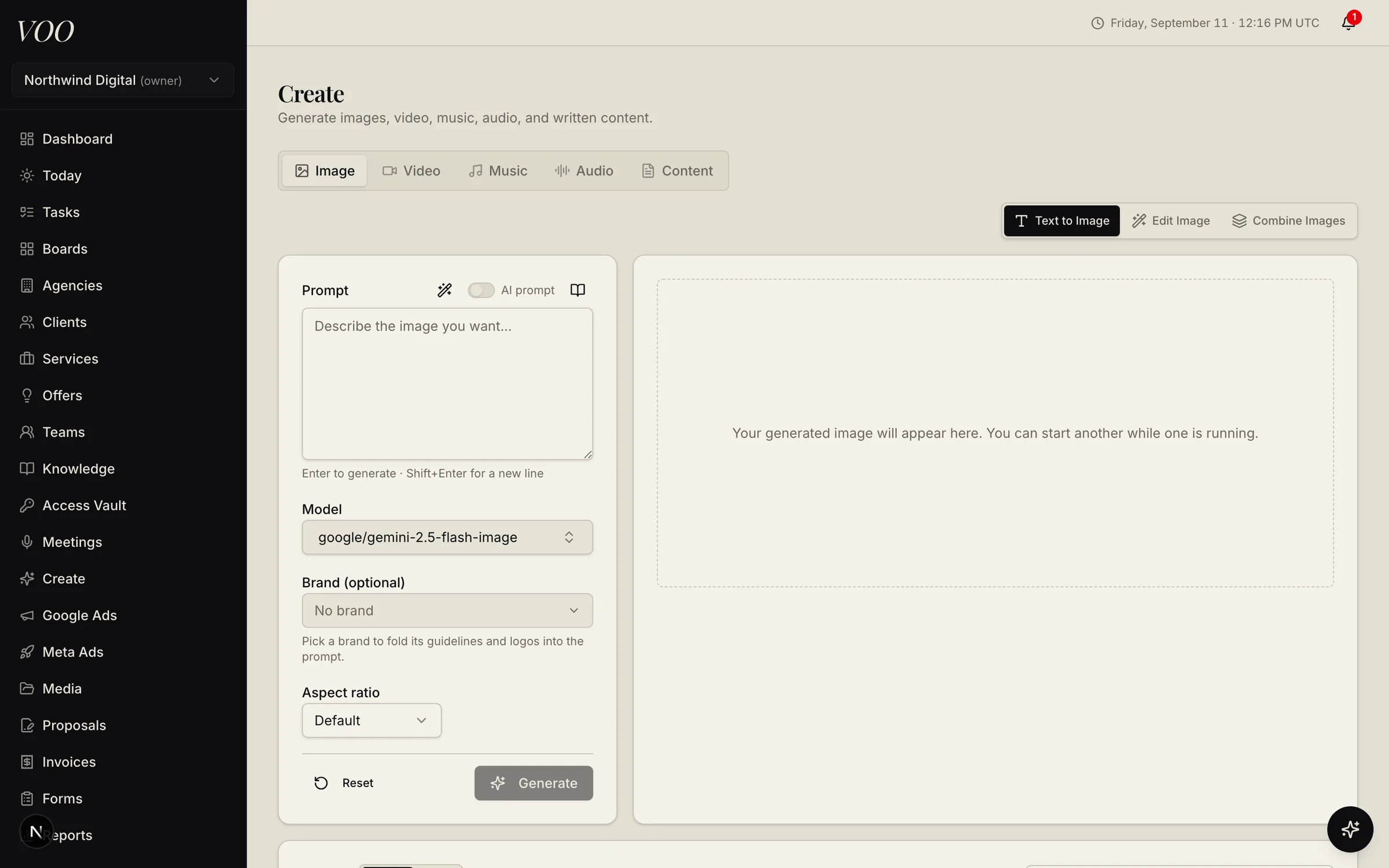
Voo Create studio with image, video, music, audio, and content tabs and a prompt panel

AI agents

Agents that work the queue, and a queue that keeps them honest.

Mark a task agent-eligible and Voo's worker picks it up with the brand profile, the pinned playbooks, and scoped tools for ads, hosting, code, and billing. It checks its output against the task's contract, then hands it back to your team. Anything that touches the outside world waits in approvals.

  • Skills and tools per team
  • Output contracts and verification
  • Replayable execution logs
  • Learnings from reviewer feedback
  • Knowledge proposals, not silent edits
  • Your choice of models via OpenRouter
How agents work in Voo
Illustration of an AI agent handing a task card to a person for approval

Everything included

One workspace. Every team.

Operate

Run delivery for every client from one board.

Grow

Sell, bill, and report without re-keying anything.

Automate

Let agents and integrations carry the repetitive work.

Integrations

Connected to the platforms agencies already run on.

See every integration
  • Meta Ads
  • Google Ads
  • FreeScout
  • Slack
  • GitHub
  • Stripe
  • GridPane
  • ServerAvatar
  • Wrike
  • Better Stack
  • BugSmash
  • OpenRouter
  • Model Context Protocol
  • EmailIt
  • WordPress
  • ScrapingDog

Questions

Common questions

More on the FAQ page, or ask us directly.

All questions
What is Voo?

Voo is an operating system for marketing agencies. It combines project management (tasks, boards, pipelines), client management (agencies, clients, brands, subscriptions), revenue (proposals, invoices, Stripe), delivery tooling (knowledge, meetings, media, a creative studio), advertising management (Meta and Google Ads), and an AI agent workforce that does eligible work and hands it back for human approval.

Who is Voo for?

Agencies and productized-service teams that deliver recurring work for many clients: marketing agencies, web and SEO shops, paid-media teams, content studios, and white-label networks. It is a business tool for staff; clients get a restricted portal and shareable boards.

Can the AI agents change things without approval?

No. Agents work on tasks you mark eligible, and anything that changes the outside world (an ad budget, a customer reply, a deploy, a published doc) goes through an approvals queue where a person reviews and applies it. Every run is logged and replayable.

How do I get started?

Create a workspace at app.voo.dev, add your services and clients, and invite your team. Or request a walkthrough and we will set it up with you.

Run the agency, not the spreadsheet.

Set up a workspace in minutes, or ask us for a walkthrough with your services and clients loaded in.